
Rules that do the work for you.
Statuses that update themselves, deals that move through funnels, tasks created on triggers, KPIs and progress calculated automatically. Plus a layer of system automations running in the background, with zero configuration.
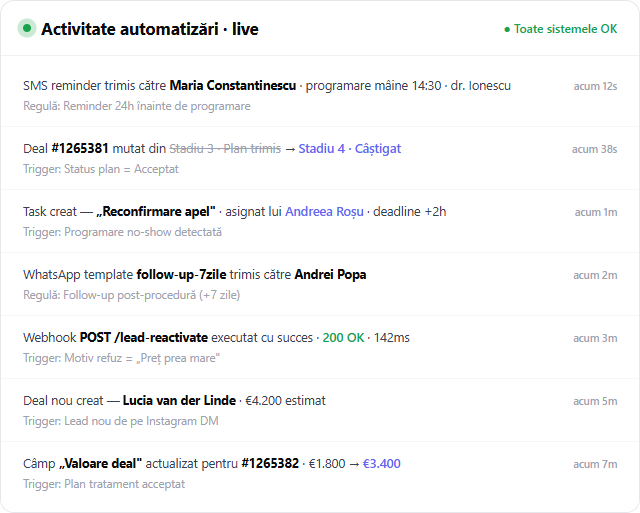
Appointments and plans update deals — automatically.
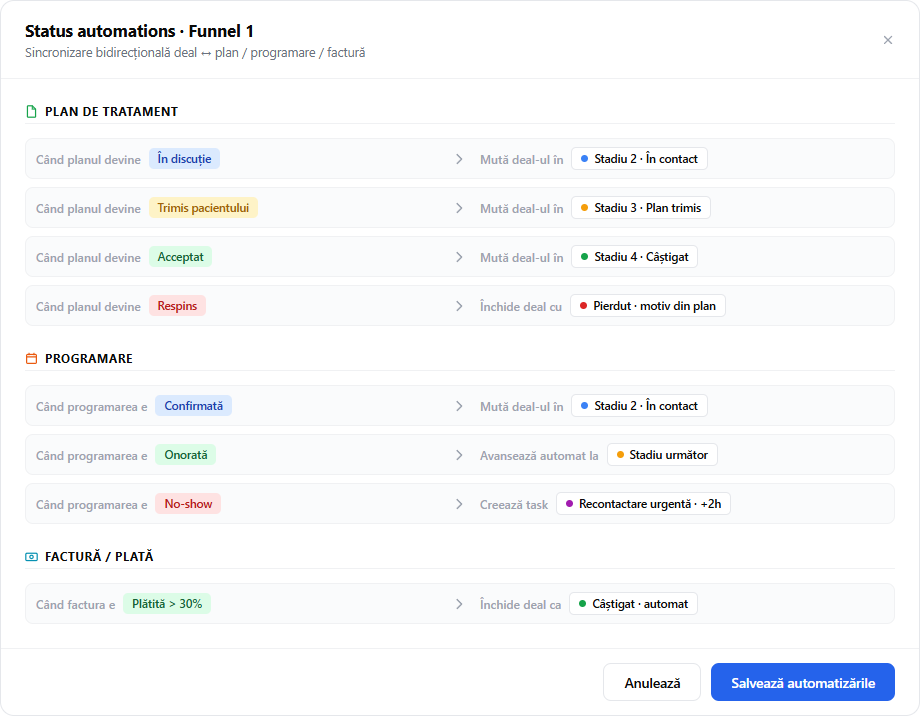
Link appointment and treatment plan statuses to funnel stages. When an appointment becomes “Confirmed” or a plan “Accepted”, the matching deal moves on its own. The same logic applies to creating and moving deals in the pipeline.
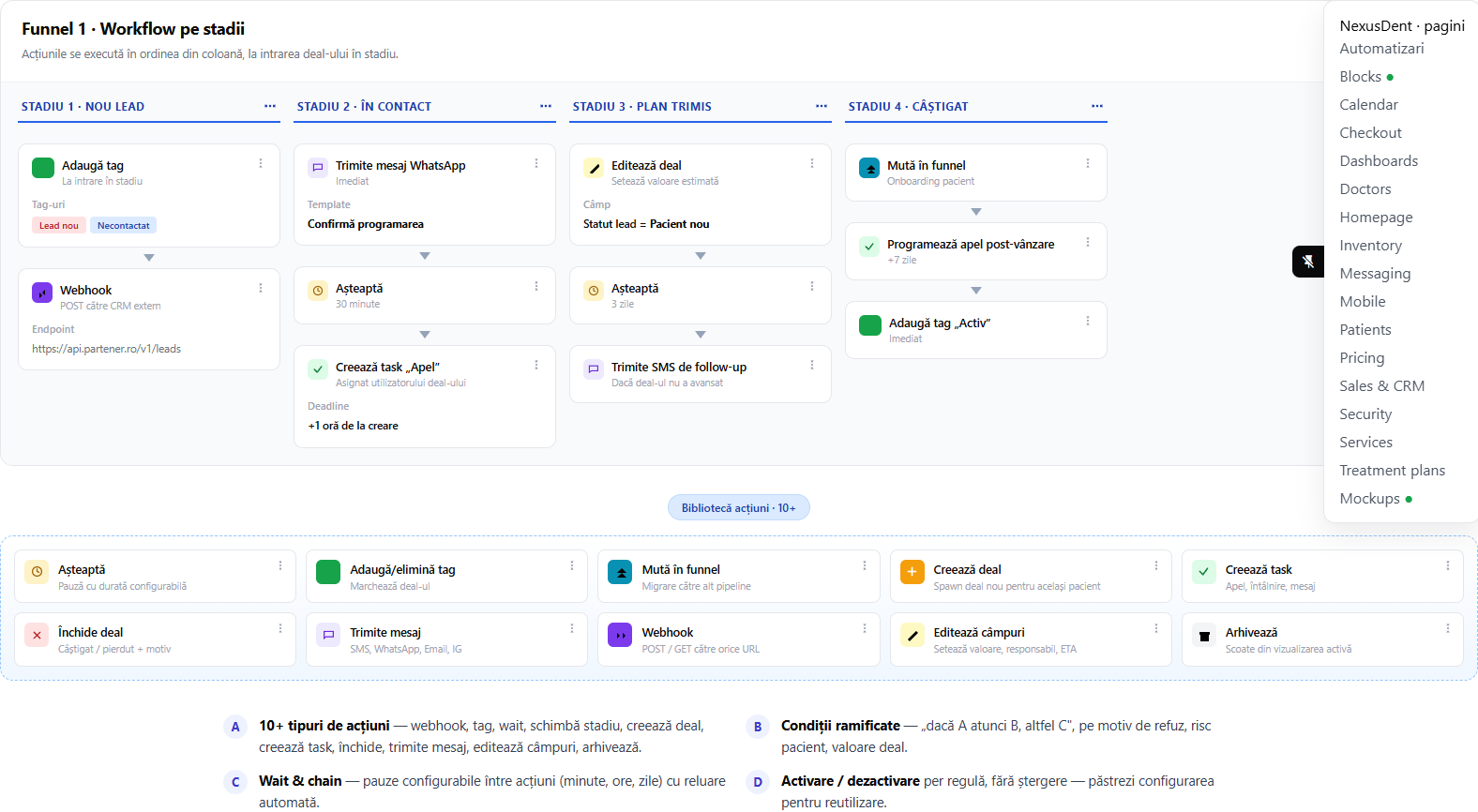
Visual workflow builder — no code, no headaches.
For every funnel stage you can define actions that run on entry: webhooks, adding/removing tags, waits, automatic tasks with an owner and deadline. Drag actions from the library, chain them, save.
Funnel 1 · Stage workflow
Actions run in column order when the deal enters the stage.
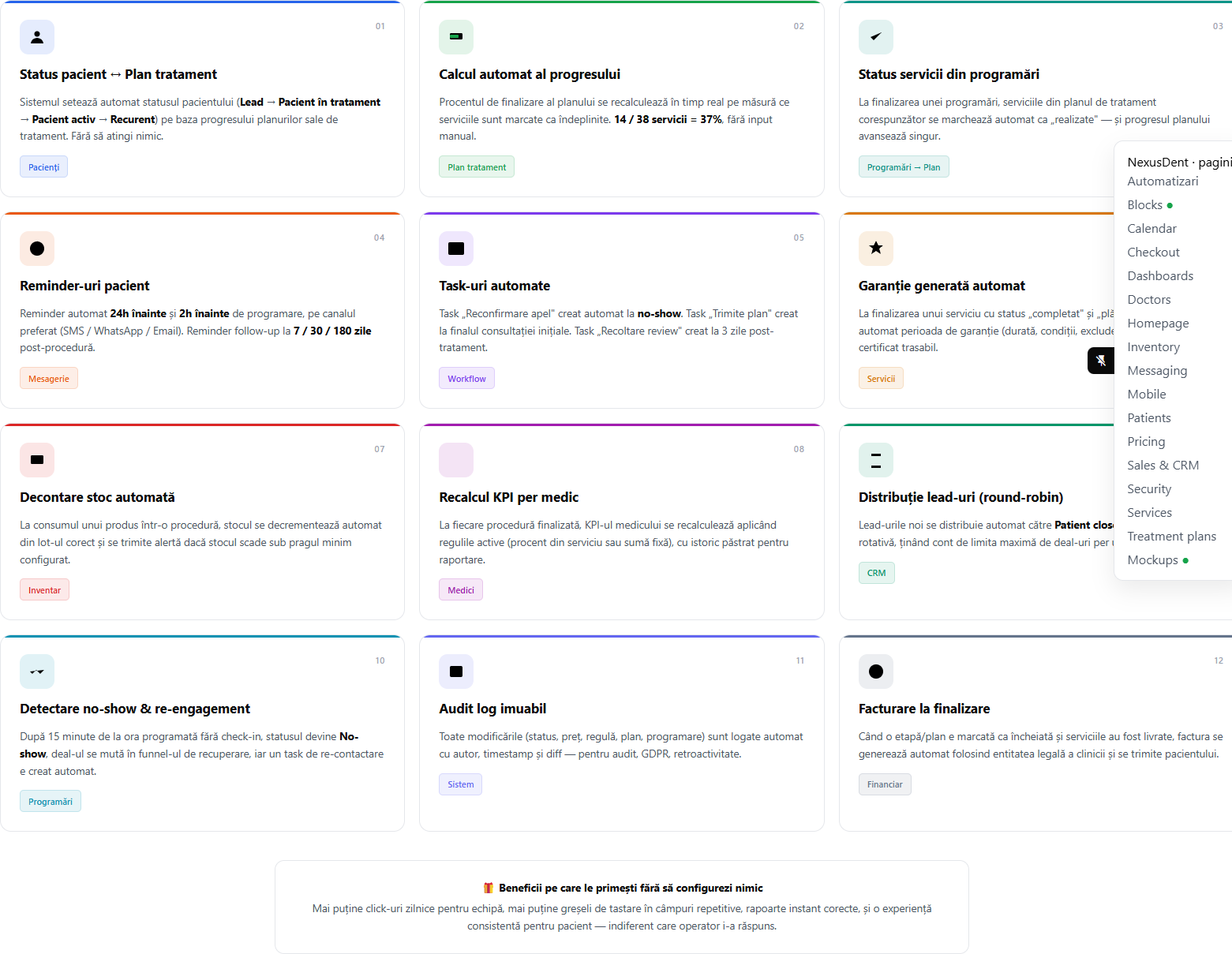
Background logic — calculations and updates with zero setup.
Beyond the rules you configure, DentumCloud runs a set of “native” automations in the background: progress calculations, cross-module syncs, warranty generation, KPI recalculations. They all work from day one, no setup required.
Questions about automations
Answers to the most common questions about rules, status sync and the automation system.
10+ action types: send SMS / WhatsApp / Email, webhook (POST/GET) to any URL, add/remove tag, change stage, move to another funnel, create a new deal, create a task with owner and deadline, edit fields, close a deal with a reason, archive, plus “wait X time” for pauses between actions.
Both ways. When a plan becomes “Accepted”, the matching deal automatically moves to “Stage 4 · Won”. When an appointment becomes “No-show”, an “Urgent follow-up call” task is created automatically. When an invoice is more than 30% paid, the deal closes as “Won”. Mappings are configurable per funnel.
Yes. Every automation can have conditions on refusal reason, patient risk, deal value, lead source, tags and more. “If A then B, else C” branching with multiple parallel branches.
Add a “Wait” block with a configurable duration in minutes, hours or days. When the pause ends, the system automatically resumes the sequence with the next action. Handy for scheduled reminders (e.g. “SMS 24h before”).
Yes. Every rule has an “Active / Disabled” toggle. Disabling stops execution but keeps the configuration for reuse. All executions remain in the log for auditing.
Use the “Webhook” action to send a POST/GET to any URL on every trigger. Works out of the box with Zapier, Make, n8n, Pabbly and any CRM or system that accepts HTTP webhooks.
Yes. A live activity feed shows every executed action: trigger, rule applied, status (success/error), response time. See 12,480 actions / 24h, a 99.7% success rate and 8h+ of human time saved at a glance.
The system retries automatically with exponential backoff (3 attempts). If it still fails, it flags the rule with a “Warning” in the feed and notifies the deal owner. Configurable: choose “block the deal” or “skip to the next action”.